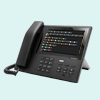
innovaphone PBX
Le standard téléphonique VoIP performant pour votre entrepriseinnovaphone myApps Cloud
Solution européennetout-en-un, sécurisée
et conforme au RGPD
Link: https://www.eksaip.it/it/blog/p-corso-itc-innovaphone
Vous trouverez ici toutes les modifications de la liste de prix (par ordre chronologique, commençant par les plus récentes).
Outre les modifications dans la nouvelle liste de prix mise à disposition chaque trimestre, nous documentons ici, le cas échéant, les modifications qui entrent en vigueur avant la mise à jour de la liste de prix au 1er d'un nouveau trimestre. Veuillez toutefois noter que de telles modifications ne seront visibles dans le fichier à télécharger qu'au début du trimestre suivant.
New:
Deleted:
Text:
Price:
Text:
Price:
Text:
New:
Price:
Price and text:
SSC amounts:
Text:
New:
Changed Price:
New:
Text:
Deleted / EOL:
New:
New:
Text:
New:
Changed Price:
Changed Price:
New:
Text:
Deleted:
New:
Deleted:
New:
Text:
Price for rental in the cloud:
Deleted:
New:
Software Service new (SSC):
Changed Price:
Changed price:
SSC/iSC correction:
Deleted:
New:
New:
Deleted:
New:
Changed price:
Changed price:
Changed text:
New:
Changed text:
Changed License type:
Deleted:
New:
Changed License type and text:
New:

AttendIA est un assistant vocal doté d’intelligence artificielle générative, positionné en première ligne de l’interaction client. Une fois configuré avec la documentation propre à votre entreprise (PDF, fichiers DOCX, feuilles Excel, sites web, etc.), AttendIA peut répondre instantanément, en langage naturel, aux questions de vos clients, 24 heures sur 24, 7 jours sur 7. En plus de fournir des réponses contextualisées, il peut être programmé pour effectuer des actions intelligentes selon les paramètres définis : transfert d’appel, envoi d’e-mails, création de tickets de support ou requêtes vers des systèmes internes. Conçu pour s’intégrer de manière fluide à votre standard innovaphone existant (via la plateforme myApps), AttendIA améliore considérablement l’expérience client en associant récupération de connaissances pilotée par IA et exécution intelligente d’actions prédéfinies.

With byon callpoint, byon offers a comprehensive telephone conference platform as a service. This enables the fast and uncomplicated organization of telephone conferences with customers, partners or for team meetings. Functions such as: security PIN, access control, participant overview, moderator function and many more make the callpoint platform a useful conference tool.In order to use the full range of functions of the byon telephone conferencing plattform, additional licenses must be purchased directly from byon. For a consultation as well as a test setup, please contact us at sales@byon.de.
Um den vollen Funktionsumfang der byon Telefonkonferenzplattform nutzen zu können, sind kostenpflichtige Lizenzen direkt bei byon zu erwerben.
Selectable call number display for external telephony.The byon LineSelect App is designed for companies with teams or employees, that need to display different phone numbers for external calls. In the byon LineSelect Admin App, multiple lines with different phone numbers can be created and assigned to specific profiles. These profiles are then distributed to the employees. In the byon LineSelect User App the employees can select their required profile and change the outgoing phone number as needed.

The byon vACD app allows users to access the byon contact center software (vACD) from the innovaphone myApps interface. This gives users the ability to manage and view key features of the vACD agent view. The integration provides a better user experience and eliminates the need to switch to a separate program or browser. In order to use the full range of functions of the byon vACD app, additional licenses must be purchased directly from byon. For a consultation as well as a test setup, please contact us at sales@byon.de.

With the byon vTK Portal, customers of the byon vTK (telephone system from the cloud, based on innovaphone systems, such as IPVA or innovaphone Gateway) receive a powerful tool for managing their cloud telephone system. The functions include: Create and manage users, create groups and assign calls, manage devices and licenses, create and edit queues and announcements, view statistics and reports, bulk edit and manage user objects and much more. How you can use the byon vTK portal, which by the way is whitelabel capable and can be provided with your logo and colors, optimally for you or your customers, we will be happy to tell you in a personal consultation. Please feel free to contact us at sales@byon.de.

With byon WhoIsOn for innovaphone myApps you get an app, which displays the presence statuses of Microsoft Teams members and those of innovaphone PBX users in one interface. This means you have all participants from both worlds available in one view. In the free version of this app, it is possible to connect a client in Microsoft Teams (this requires the byon WhoIsOn Microsoft Teams app - for more information see the byon WhoIsOn article in the innovaphone Wiki) and a client from innovaphone myApps. In order to display the users, as well as their presence status from Microsoft Teams, further settings in your Microsoft Azure environment are required (- for more information see byon WhoIsOn article in the innovaphone Wiki)

Call Action connects ERP, CRM and other systems through a centralized adjustable call behavior for incoming but also terminated calls. Whether website call or Windows application, with or without individual employee parameters.Licensing: One license per user with any number of devices. No floating licensing, only the users who got a configured license have access. For licensing and test licensing please contact myApps-sales@mediarunway.comYou can find out the current price at www.MediaRunway.com/myApps

Call Info can show you important information about the caller in your myApps Phone App for easier and more qualitative (customer) communication. The app obtains the information from an external LDAP server, which in turn can collect its information from a wide variety of sources. With the editor integrated in the Admin App, you can create your individual display template so that more important information can be highlighted with bold letters, a larger font or color.Licensing: One license per user with any number of devices. No floating licensing, only the users who got a configured license have access. For licensing and test licensing please contact myApps-sales@mediarunway.comYou can find out the current price at www.MediaRunway.com/myApps
Optimieren Sie Ihre Kommunikation mit erweiterten Informationen zu Ihren Gesprächspartnern!


The app inno2TANSS needs the ticketsystem "TANSS®" and a licensed innovaphone reporting. The app pushes the call information to the ticketsystem. In the ticketsystem you can use the integrated call lists and you got visualise the call information in your timelines. Everything will be configured in the inno2TANSS admin app, and then it works in the background, no app for the user needs to be started. Licensing: You need one license for one PBX and ticketsystem connection. No user licensing. For licensing and test licensing please contact myApps-sales@mediarunway.comYou can find out the current price at www.MediaRunway.com/myApps

MobiApp Demo – Discover the mobile solution for alerting, location tracking, and communicationMobiApp brings alerting and communication directly to mobile devices, enabling fast and clear responses—even for lone workers and in critical situations.The MobiApp Demo is available in the innovaphone myApps portal and provides an overview of the features and possibilities of the MobiCall alarming solution “MobiApp”, powered by NewVoice International. After opening the app, users are presented with a welcome message and a start screen explaining that they can navigate through the app by swiping left or right

Le PBX Designer pour innovaphone est une application de gestion puissante destinée aux systèmes PBX innovaphone installés sur site. Il permet une configuration graphique et intuitive du système téléphonique, sans nécessiter l'utilisation du PBX Manager d'innovaphone. Son interface utilisateur claire simplifie considérablement les tâches administratives complexes et en accroît l'efficacité.Les fonctions suivantes sont gérées de manière centralisée et mises à disposition de façon pratique par le PBX Designer :- Configuration du serveur de fax- Gestion des fax de groupe- Configuration de la messagerie vocale- Messagerie vocale de groupe- CLIP no Screening (global et par utilisateur)- Gestion des fichiers audio (téléchargement avec conversion automatique, enregistrement, lecture et suppression)- Groupes de prise d'appel (avec programmation automatique des touches)- Groupes direction/secrétariat (avec programmation automatique des touches)- Fonctions de contrôle temporel- Synchronisation avec Exchange- Gestion de la musique d'attente- Gestion des utilisateurs (y compris gestion des licences)- Éditeur graphique de flux d'appels (Call Flow Designer)- Synchronisation Active Directory/LDAP- Call Flow DesignerL'outil intégré « Call Flow Designer » permet de créer et de gérer graphiquement les flux d'appels. Chaque flux peut être nommé et enrichi de commentaires ou d'une documentation. Les processus d'appel complexes — impliquant par exemple des annonces vocales, des saisies DTMF, des agents, des renvois d'appel, des contrôles temporels ou l'intégration de la messagerie vocale — se configurent de manière intuitive via l'interface graphique. La liaison entre plusieurs flux d'appels est également grandement simplifiée.La synchronisation intégrée Active Directory/LDAP permet de se connecter à plusieurs serveurs d'annuaire via des connexions LDAPS sécurisées. Les environnements multi-forêts et multi-domaines sont pris en charge. Les utilisateurs peuvent être importés automatiquement dans le système téléphonique. Grâce à des règles de correspondance définies par l'utilisateur, des éléments tels que les licences, les flux d'appels ou d'autres configurations PBX peuvent être attribués automatiquement à des utilisateurs spécifiques.

Presence Heartbeat improve the clarity of the myApps presence state of your employees, in which the color and the text are automatically set with a preset when the Windows screen lock is activated and unlocked again, as well as when Windows logs on and logs off/ shutdown. This works on the local Windows PC as well as in a Windows Terminal session.Licensing: One license per user with any number of devices. No floating licensing, only the users who got a configured license have access. For licensing and test licensing please contact myApps-sales@mediarunway.comYou can find out the current price at www.MediaRunway.com/myApps

TANSS TK PopUp lets caller information appear in the TANSS® when a call comes in, and then automatically fades out a few seconds after the call ends. Create a better customer experience without clicking and typing.Licensing: One license per user with any number of devices. No floating licensing, only the users who got a configured license have access. For licensing and test licensing please contact myApps-sales@mediarunway.comYou can find out the current price at www.MediaRunway.com/myApps

TIMIO. Contact Center expands innovaphone myApps with a comprehensive omnichannel solution for professional service communication.Service inquiries via phone, email, and web chat are not only intelligently routed but also managed in a structured manner throughout the entire handling process: from capture and routing to CRM integration, context-based processing, and transparent analysis.The result is a contact center that goes far beyond traditional queues, ACD logic, or simple call distribution. 100% software made in Germany, integrable, scalable, and AI-ready.The app requires a TIMIO. Contact Center (cloud-based or on-premises).

VIP Call allows you to create a Fastlane ticket for VIP customers and other calls using a PIN. So that a team can be prioritized or an employee can be reached directly. This enables a better experience on both sides of the phone line, can speed up processes and increase customer satisfaction.Licensing: One license per user with any number of devices. No floating licensing, only the users who got a configured license have access. For licensing and test licensing please contact myApps-sales@mediarunway.comYou can find out the current price at www.MediaRunway.com/myApps
Create an exclusive connection that is perfectly tailored to your needs and those of your most important customers.
Areas of Use for VIP Call:
Call centers: Managers or team leaders who should not otherwise be directly available for external inquiries can be contacted temporarily and specifically via the VIP code. This flexibility improves the customer experience and enables fast, targeted communication for important issues.
Emergency services: With the VIP code, you can specify that only customers with a corresponding contract have access to your emergency service outside of business hours. This provides a clear structure for customer support.