We at innovaphone develop software with a passion. We always strive to meet the current needs and requirements of our customers.
With the release of V16, Unified Communications and Collaboration gets ready for the next chapter. Numerous innovations and improvements covering telephony, conferencing, collaboration, business apps, hardware, and infrastructure boost efficiency, reliability, and user-friendliness - all seamlessly integrated into one single UCC platform.
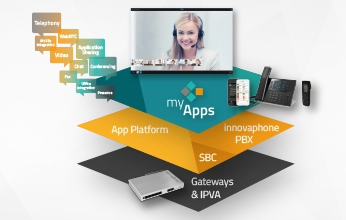
Are you ready for next-generation UCC? V16 turns communication into genuine collaboration. The myApps platform transforms into your central hub for modern telephony, highly performant conferencing and intuitive team collaboration.
myApps UCC exceeds conventional Unified Communications and Collaboration. Our solution connects teams and streamlines workflows, creating a digital workspace where collaboration is seamlessly integrated.


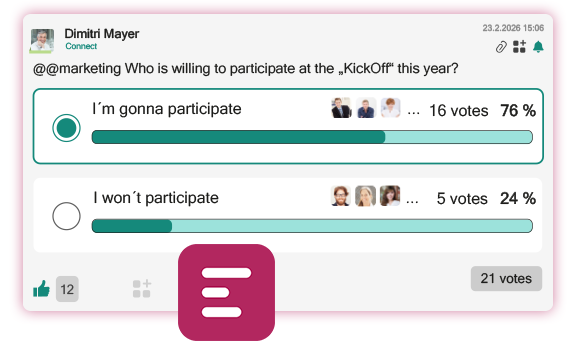
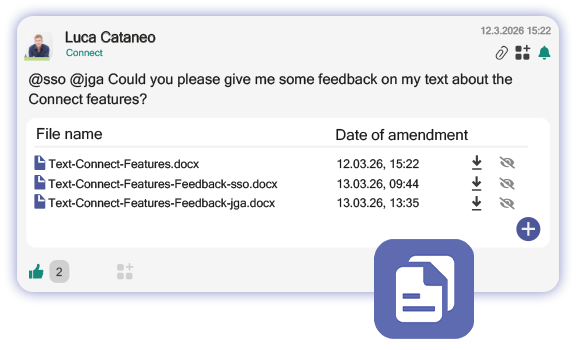
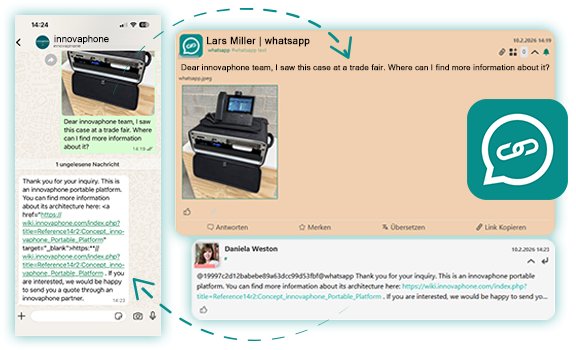
Connect is your central platform for communication and collaboration. From V16 on, it bundles even more functions, turning Connect into your center of collaboration for all teams, departments and the entire company. Benefit from transparent collaboration, retrieve information quickly, and enhance your workflows to remain well-organized and for information to flow smoothly.
Improvements and new integrations for even more convenience with Connect:


Targeted optimizations significantly improve the memory management and system performance of the PBX. Firmware adjustments ensure that memory requirements are optimally tailored to typical PBX needs. Internal tests show a reduction in memory usage of up to 40%. Processes following reboots or software updates have also been optimized, so that the system returns to service much faster.
Profit from improvements for large installations: Incremental LDAP replication optimizes performance and boot times in PBX networks. It further enables write operations on all replication participants, and thus ensures more efficient workflows between multiple PBXs. Additional performance and storage optimizations also ensure faster startup times as well as shorter backup and restore times. Conferencing now also offers greater flexibility: Conference resources can be scaled within the cluster to virtually unlimited levels. Planning and configuration are significantly easier in large environments.
Uninterrupted phone connectivity, also on the go: Calls remain active at all times, also when the network conditions change, for example when switching within the same network or between Wi-Fi, 5G, and Ethernet. The connection stays active even during PBX reboots or brief service outage while driving. A tone signals that the connection is still active, while all participating devices automatically save the necessary information. This ensures the connection remains stable without requiring any action on your part- ideal for mobile employees and commuters.
The Conference Scaler eliminates limits on participant numbers and capacity limitations in conferences. The new app service utilizes all available channels within an installation and flexibly combines them as needed, regardless of the limitations of a single conference interface. You can now hold any number of conferences running simultaneously and host video conferences of any size without having to manually allocate individual resources. This allows you to benefit from virtually unlimited scalable conference resources for easy management and efficient use of your conference infrastructure.
Our phone apps (innovaphone Phone App, Softphone App, RCC App) now support screen readers and can be operated entirely via the keyboard to ensure accessibility for users with visual impairments. All functions are accessible without a mouse: Use the TAB key to navigate, the SPACE BAR to select, and the ESC key to exit menus. Additionally, keyboard shortcuts and ARIA support provide even greater convenience and accessibility.
In accordance with EU Directive 2019/882, emergency services must ensure barrier-free access for all users. The innovaphone gateways meet these requirements with Real-Time Text (RTT) support, enabling emergency communication equal to all. Voice, text, and location information are transmitted in real time to NGX-compatible control centers, ensuring that emergency calls are routed securely and immediately.
Push notifications are essential for reliable business communications. innovaphone data centers in the German states Baden-Württemberg and North Rhine-Westphalia automatically ensure reliability, without any user intervention. Geo-redundant architecture and IPv6 support ensure that all push installations run smoothly and reliably, even in the event of disruptions.
In addition to calendar synchronization and two-way synchronization of the presence status with busy signaling, the Connector for Microsoft 365 now also allows you to look for and look up phone numbers of contacts from Microsoft 365 and Exchange Online. The search results are available via the Phone Apps (Softphone & Phone) and the Search App. A new configuration tab clearly organizes all settings and displays the current app status.
The Working App now includes leave management: Employees can submit requests directly via the app, and HR / department managers can approve these requests with just a few clicks. Thanks to push notifications and badges, you are always up to date.
Advantages:
More details on the Working App


Streamline your data presentation. With the new Charts App, you can use the Statistics API to gather locally stored data from various innovaphone apps, turning data into intuitive charts and well-structured diagrams. This centralized view makes it easy to compare, analyze, and share data from multiple sources.
Key Benefits:
More details on the Charts App
The latest improvements make collaboration in Projects easier and help you manage your projects even more efficiently:
The Remote Control App now offers following new features for even more convenient access to computers and servers from colleagues or customers:
The help section in myApps received an update: All navigation and help features are now clearly grouped at the bottom of the hamburger menu of your myApps home screen, making these features easily accessible. In this help section, you will also find the myApps onboarding tour. This tour will quickly help you find your way around myApps. It describes important features of the home screen, apps, presence status and menu items for users to quickly get familiar with myApps.
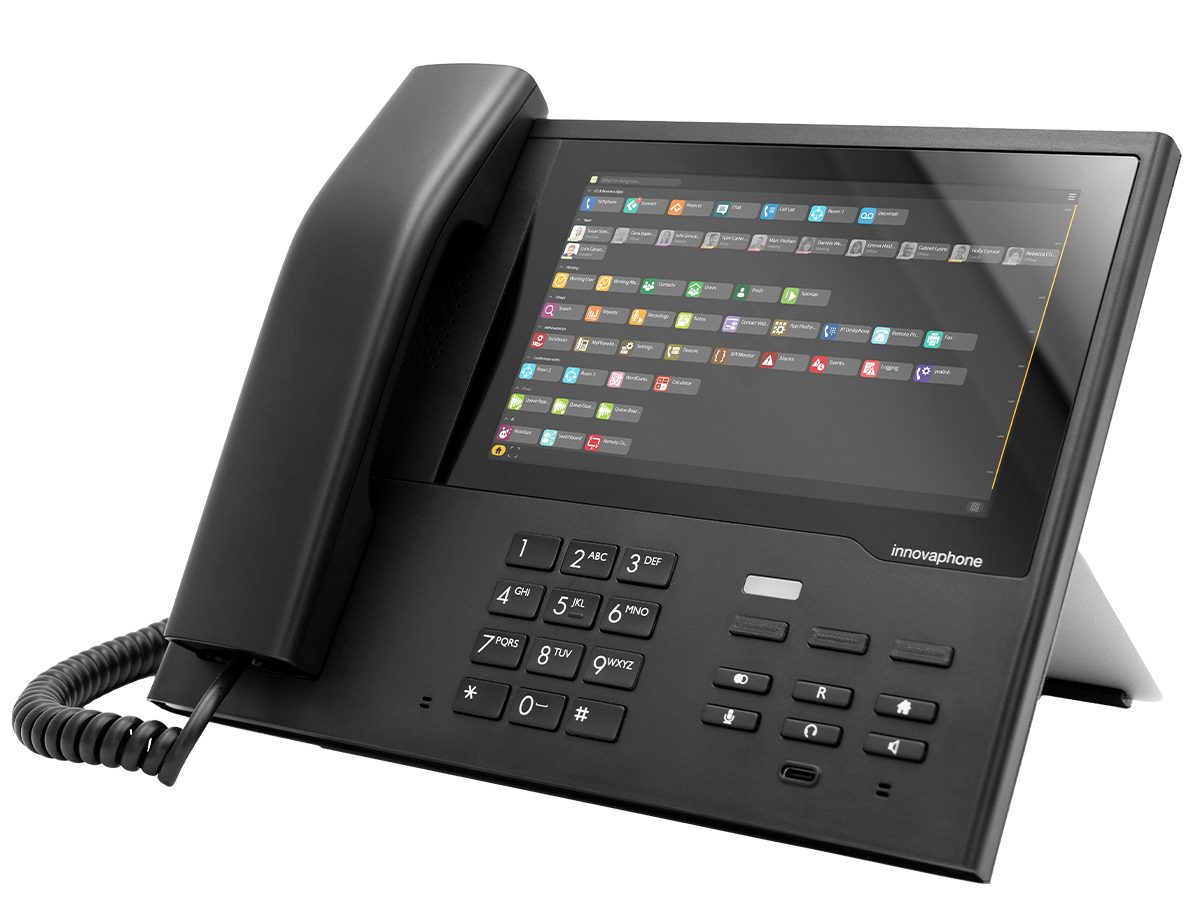
Full myApps integration meets modern IP device: The IP270 adds myApps to your desk phone, creating the perfect workspace for modern communication. The generous 7-inch touchscreen combines the familiar features of a traditional phone with the potential of the myApps platform. You can use telephone features, apps and other applications intuitively, directly on the device and without needing a separate computer.
With its versatile features, the IP270 serves as a central communication hub: You can make video calls and host video conferences directly on the device, use it as a switchboard, and conveniently access all your apps—for greater flexibility and convenience in your daily work.
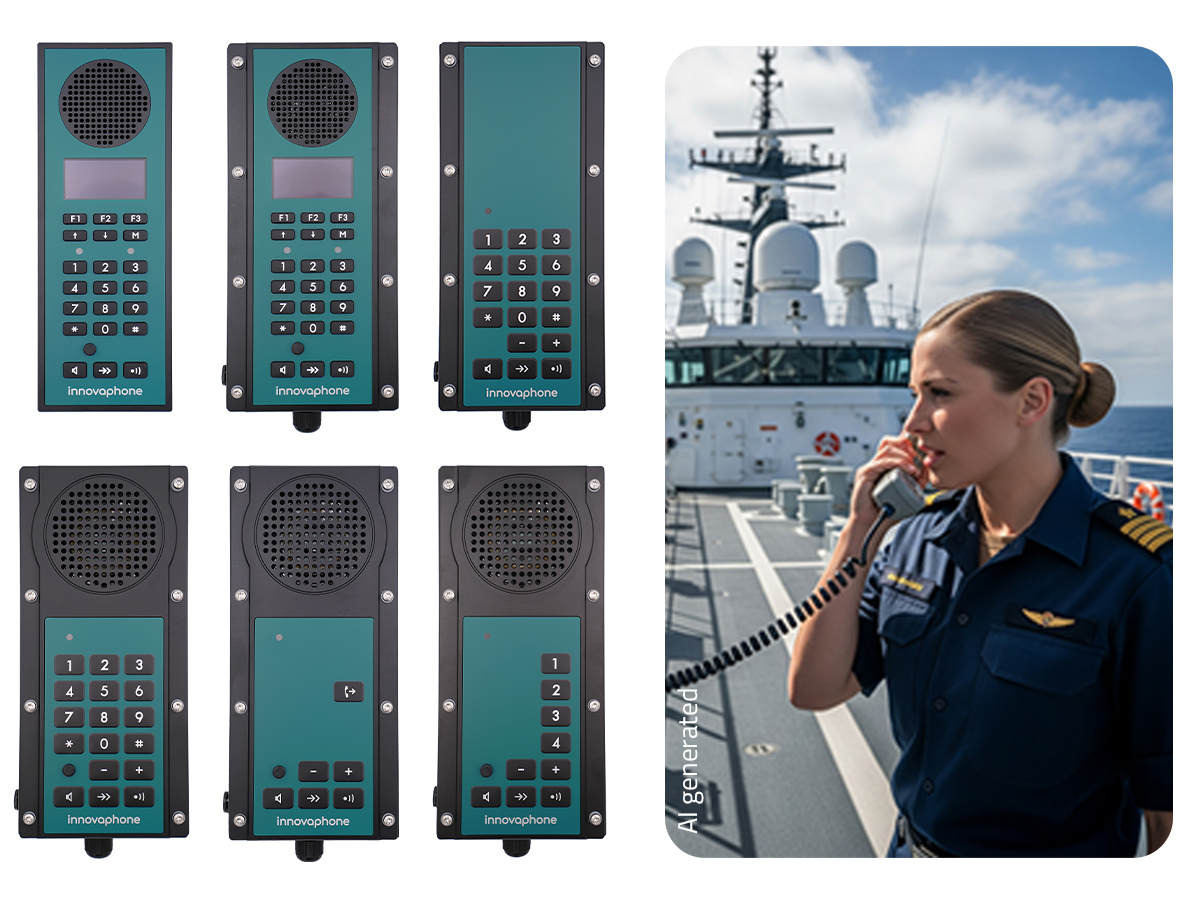
The innovaphone IP17x intercom series is specifically designed for harsh and safety-critical environments. Thanks to its official DNV certification, it meets the strict requirements of the maritime industry. Depending on the model and location, the devices offer various protection ratings, ranging from the basic IP20 rating for protected indoor areas to the rugged IP66 rating for full weather protection against powerful water streams. Power is supplied efficiently via Power over Ethernet (PoE), which significantly reduces installation effort in complex industrial settings, eliminating the need for additional power cables. With the IP17x series, you benefit from greater flexibility, minimal cabling requirements and maximum reliability.
More details on the IP17x series
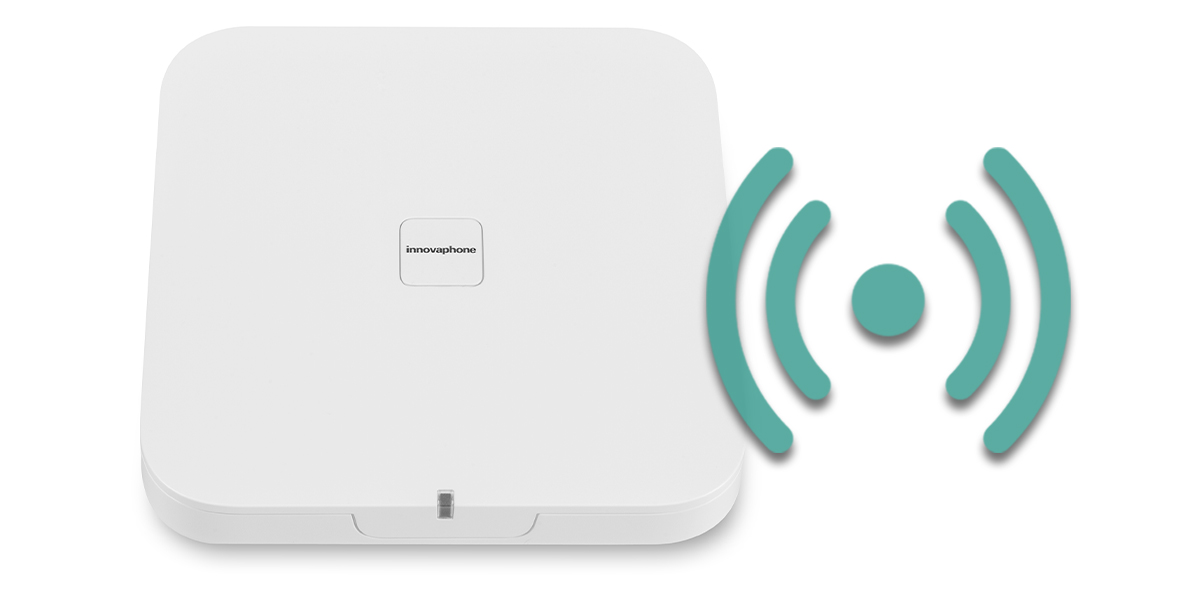
Established customers benefit from the latest upgrades to all models of the IP1202—provided the software of the base station has been updated. This allows us to support your infrastructure over the long term and ensure the reliability of your trusted DECT base station.
The updated flash memory partition ensures that the base station performs even better after the update, it remains reliable and is optimally equipped for current and future use cases, to protect your investment in the long term. The IP1202/4s is still available for purchase.
The product App IP brings full PBX functionality to the innovaphone App Platform as an app service. Key communication functions are flexibly provided as an application and can be seamlessly integrated into modern IT environments.
The solution runs on the Docker Container App Platform. App platform and PBX can be run together in a single container without the need for a traditional hypervisor. The result is a compact, all-in-one solution that enables easy deployment, high scalability and maximum flexibility for modern communication solutions.
The back up function in the App Platform Manager has been optimized: Thanks to faster compression, backups are now created much more quickly.
With comprehensive support for ECDSA certificates, innovaphone products are well-equipped to meet future security requirements. Compared to RSA, ECDSA offers strong encryption at higher security levels with significantly shorter key lengths, ensuring maximum security while maintaining efficient performance.
The management of TLS security has been significantly simplified. TLS versions and cipher suites are now controlled via three profiles:
Outdated DTLS versions and DHE cipher suites have been disabled. This allows you to benefit from modern and secure connections while maintaining optimal compatibility.
It is now possible to integrate a Certificate Trust List (e.g., https://curl.se/ca/cacert.pem) to make it even easier to ensure secure connections. AI features already integrated into myApps, such as Assistant and Conference Transcriptions, are configured by default.
The Devices App optimizes device management for administrators with several new features:
Directory replication now supports OpenLDAP as a source for user replication, ensuring even greater compatibility with existing IT infrastructures. User information can be flexibly imported into the PBX from alternative directory services. Thanks to automatic detection of OpenLDAP and the use of the entryUUID as a unique identifier, replication is reliable and consistent. This opens up new deployment scenarios such as operation without Active Directory or the centralized use of OpenLDAP as the directory foundation in hybrid environments.
The innovaphone PBX and apps now support OAuth2 for sending emails via SMTP. Authentication is now modern, more secure, and meets the requirements of major e-mail providers.
Advantages:
The innovaphone MQTT broker opens up new areas of communication, namely the world of IoT. It provides the seamless integration of MQTT-enabled devices into the innovaphone environment. The broker handles message processing between MQTT clients and offers a structured management interface. Features such as access list control and the connection of third-party brokers are supported. The client library can be used to develop apps with the MQTT protocol.
All new features are available directly in the portal and through shared services:
Support tickets are generated faster. Use the portal to send inquiries to Support, Presales, Licensing or Sales - without having to send an e-mail.
Highlights:
Detailed information on hardware and software no longer supported with this and subsequent versions is listed here.
The solution for agile project management. Plan, complete and document projects of any size with Projects. All information and organizational details are bundled in one central place. Create projects and templates with recurring tasks, break down complex procedures into smaller portions, provide clear specifications, define responsibilities and set due dates. The board view within the app provides a well-structured overview the current status of tasks and projects. An interface to Connect further ensures transparent communication on any project, sprint or task.
Good to know: If you open Projects for the very first time, an onboarding project with helpful tips will be created automatically. All features and functions of the app are explained step by step - this will help you find your way around Projects.


Simplify your day-to-day work! The Assistant App integrates artificial intelligence directly into myApps. By integrating an LLM of your very own choice even fully compliant with GDPR. Interfaces to innovaphone App Services (Call List, Contacts, Softphone, Search) even provide access to information from your myApps environment, making your day-to-day work even more productive.
The search history and search results are stored in the Assistant App and can be accessed at a later point in time.
Use popular PBX functionalities directly within the Connect App: The integrated presence status lets you see at a glance who is currently online. Do you need a quick answer and are you in a bit of a hurry? Initiate calls directly from within the Connect App!
You are not a phone person? Would you rather write a message than make a call? The integrated Chat is exactly what you need! In addition to discussions in form of posts, you can now send chat messages directly to other users and user groups.
Tip: Share the Connect App of your myApps instance as a Shared Service and simplify communication way beyond the boundaries of your business!


Full control over the access to own conferences. The Conference App is now also available for ad hoc conferences created via the conference operator.
With the Connector for Microsoft 365, calendar entries can be transferred from Microsoft 365 directly into the presence status.
Manage your innovaphone DECT handsets wirelessly, over the air (OTA). Physical access to the devices is not required for updates and changes to the configuration. What’s best: You can manage everything via the Devices App.
Zero Downtime with VMWare Fault Tolerance: Set up and operate systems completely redundantly.
The Quotations calculator offers a comprehensive solution to calculate prices and report projects. It allows you to calculate precisely, manage project data centrally and keep everything up to date at all times. All important information on projects and pricing is quickly recorded, clearly displayed and easily maintained. This ensures full transparency and saves time in administration.
Remote access now enabled with external participants. A shared link enables the connection via myApps environment or via an external client.
Call diversions are now displayed with colored lettering for Busy Lamp Field entries (BLF). You can also override call forwarding from BLF and search details in order to put important calls through, despite active call forwarding.
NEW: Filter option in the test overview, badge count with number of failed tests, interface to other monitoring systems, one-time tests and value memory for tests. For an efficient analysis of errors and smoothly running systems.
Use this feature to adjust your virtual background in video calls and video conferences via the Phone App, the Softphone App and WebAccess. Create a professional business setting: Blur your background, select a color or an image for your background and protect your privacy.
Detailed information on hardware and software no longer supported with this and subsequent versions is listed here.
• Integration of AI into the Connect App
• Remote Control App
• Working App
• Phone App and Softphone App
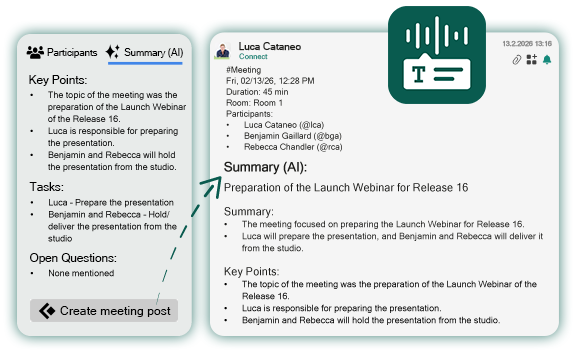
With the Connect App, the interactive platform for digital communication, collaboration across departments is as easy as pie. Use the AI integration to make your day-to-day work even more productive. Let the myApps Assistant help you summarize posts and comments or entire meeting minutes with just one click. You can even have them translated on the spot with the Translations App, if required.


Are you looking for a digital solution to record working times? Then the Working App is your first choice. With the new version, we implemented numerous new functions and improvements. The working time account now clearly displays all overtime.


There are numerous optimizations in both the Phone App and the Softphone App that will make your day-to-day work much easier. You can now create meeting minutes in the Connect App immediately after a conference with just one single click. The new user interface also convinces with a modern and user-friendly design.
Wide Band Audio
Mail to Fax funktion and transmission report with the first page
Many UI improvements
Notifications and Searchprovider
Meeting-Posts via Softphone App


What if your website visitors could quickly get in touch with your business representatives without even having to leave your website? Get more information
Use this app to create, edit and delete digital notes and reminders. Enter title and text, and select a different color for better management of your notes.

Quickly look for other users, contacts or apps. The Search App provides as search mechanism to look through myApps. Search results are conveniently displayed in a list.

Softphone in terminal server environments (e.g. Citrix)
Notifications & interaction
In order to make setup and maintenance easier for system administrators, and to prevent end users from installing the wrong myApps versions on their devices, there is now a special link for each major version via which the apps can be downloaded.
The link or QR code can be distributed by the administrator to end users for the first-time installation of myApps.
Future updates within the installed major version will be distributed, of course, via the Apple App Store or the Play Store.
myApps for iOS & macOS: https://wiki.innovaphone.com/index.php?title=Howto14r1:Install_myApps_for_Apple_Products
myApps for Android: https://wiki.innovaphone.com/index.php?title=Howto14r1:Install_myApps_for_Android_Products
Detailed information on hardware and software no longer supported with this and subsequent versions is listed in our innovaphone Wiki.